An engineer at GEHA puts AI to work around Designcenter Solid Edge.
Siemens has sponsored this post.
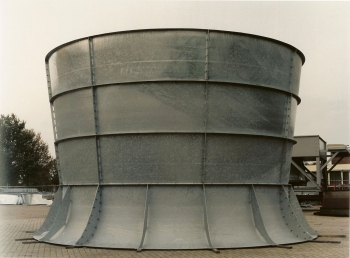
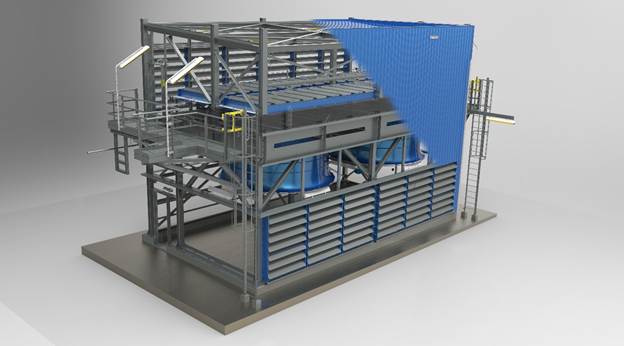
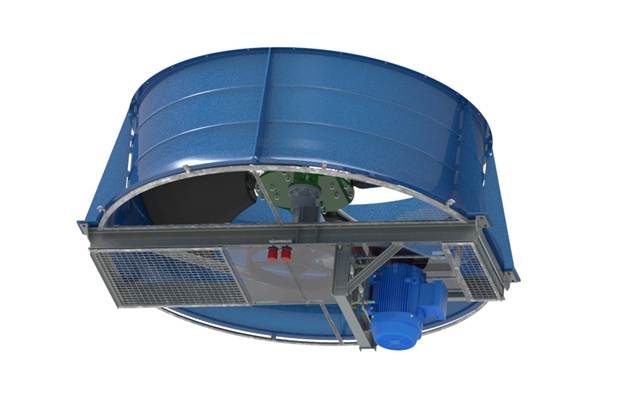
In Nieuw-Amsterdam, a small town in the northeast of the Netherlands, GEHA has been building industrial fans since 1957. Its fan housings run up to 7.3 meters in diameter, and for most of its history customers included refineries, chemical plants and the heat-transfer suppliers that serve them. Lately, the order book has a new name in it: the data center.
GEHA is producing fans of more than 2.1 meters (7 ft) in diameter in high volume for a global manufacturer of datacenter cooling systems serving the North American market. A single datacenter campus can require several hundred of these large fans.
“We make the biggest and most silent fans for data centers,” says Jan Bos, GEHA’s manager of engineering and R&D. “That’s our specialty.”
What makes that volume notable is who’s engineering it. GEHA’s engineering department once had four people. When the oil market turned in 2017, the team shrank to two. Today it’s Bos, alone, with Designcenter Solid Edge and a growing kit of AI tools.
“I’m on my own and running the whole show without problems,” he says. “And I’m enjoying my work.”
Not a programmer
Bos first saw Solid Edge in 1997, on version 3.5, when a colleague’s son modeled a part for him in an afternoon and placed views, a detail and a cross-section onto a drawing in minutes. Bos had been working in 2D CAD and was unimpressed by it, but after the introduction to 3D CAD, he was hooked. He brought Solid Edge to GEHA in 2003 to move the company’s knowledge “out of the brains, out of the paper, into the model.”
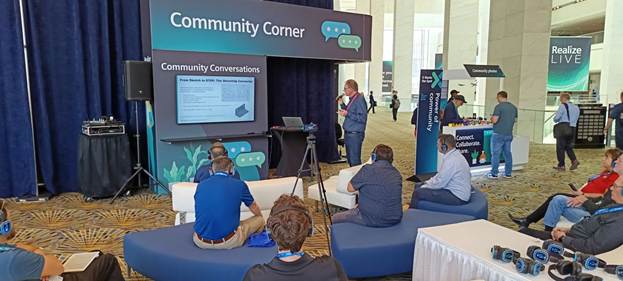
Since then, he helped found the Benelux user group, became one of Siemens’ Community Catalysts and presented at Realize LIVE on everything from Visual Basic automation to a refinery retrofit that GEHA engineered from a point cloud. This year in Detroit, his talk was titled “Practical AI as an Everyday Solid Edge User.”
His introductory slide reads: “Not a programmer. Just an engineer who got curious.”
Sunday morning, two minutes
The turning point was a drawing package. On large projects, Bos had a ritual of printing the drawings and checking them at home on Sunday mornings with a red pen, a highlighter and a cup of coffee. A 150-drawing project took about two to three hours. “It only goes wrong when it’s a big project,” he says. “So, if it’s a big project with a lot of parts, you have to check it very well.”
In spring 2025, he exported a full set to PDF, loaded it into Google AI Studio running Gemini 2.5 Pro, and told the model to act as the kind of old-fashioned drawing checker engineering departments used to employ, with close attention to the bill of materials (BOM).
It found uneven hole spacing on a perforated plate and asked whether it was intentional. It wasn’t. It flagged a transport wheel listed in the BOM with no diameter and suggested 150 mm, which was a value it pulled from the detail drawing. “The AI did what a real drawing checker would do,” Bos says.
AI review is now standard on every major GEHA project. Bos has since turned the checker into a reusable skill and taught it about the individuals that work in the factory. The people responsible for fan construction, assembly, work preparation and laser cutting are all in his system, so it frames feedback around them.
“[AI] tells me, ‘Jan, you made a heavy construction, but there is no hoisting lug on this one, and your colleague Eric will not be very pleased,'” Bos says. “It holds up a mirror.”
Given a PDF or a STEP file, the model will also flag a hole placed too close to a bend, where forming will distort it, providing design-for-manufacturability feedback that once depended on a shop-floor veteran catching it. Bos has used the same approach to check GEHA’s technical construction files against updated machine-safety regulations.
Does he trust it? “Yes,” he says, and calls the results “very solid.” Part of that trust is scope. The model checks his drawings against his standards, rather than roaming the open internet. The other part of that trust is the AI doesn’t make the call. As one of his Detroit slides puts it, “AI amplifies expertise. It doesn’t replace it. You still need engineering judgement.”
Under the hood
The second front is automation. Like many long-time users, Bos had a library of VB6 and VB.NET macros that “sort of worked,” built by adapting examples. Using the open-source coding tool OpenCode with a paid Claude model, he turned an old VB6 utility called PM-Tabelle into Fit Table, a C# macro that connects directly to Designcenter Solid Edge without opening Visual Studio. Every GEHA macro is now C#. When the AI needs to understand Designcenter Solid Edge’s programming interface, it reads the programming documentation available online, and Bos can hand it one of the roughly two dozen example programs he’s collected over the years as a starting point.
He tested the limits with a property add-in that launches on his second monitor, which is something that he’d wanted for years. After a few failed attempts, the AI asked whether he had other add-ins it could study, found one in a folder and produced a working version. Bos refined the layout by marking up screenshots with red arrows in Microsoft Paint. Total time to develop the concept was about an hour and a half. He ultimately preferred his macro and shelved the add-in, but it was an experiment that once would have cost five or six days of a contract programmer’s time.
The same approach has cleared bottlenecks downstream of the model. A colleague used to spend half an hour on each of roughly 20 orders a week splitting Designcenter Solid Edge BOM reports into lists for purchasing, laser cutting and other departments. Bos gave Claude Code an emptied-out report as a template, and it built a Python tool that does the job with a right-click.
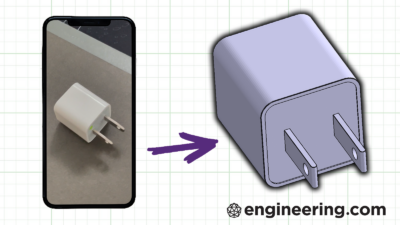
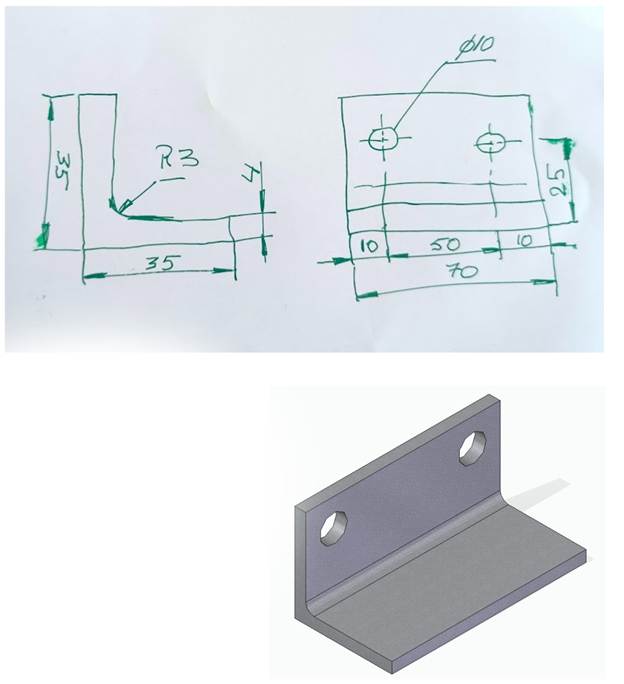
Some newer work skips CAD entirely. With Claude connected to SketchUp, Bos can photograph a dimensioned hand sketch of a bracket and get back a STEP file ready to import into Solid Edge or send to a 3D printer. In the other direction, he’s handed the model a STEP file of a GEHA bearing block and gotten back a bill of materials, plus a conversation about bearing selection and where the part could be made cheaper.
The foundation
For all of this, Bos is clear about what holds it together. AI is the layer on top, Designcenter Solid Edge is the base.
“Solid Edge is a very, very stable building block,” he says. “Everything we communicate to suppliers, it’s always spot on.”
What he wants now is for the software to absorb the work he’s been bolting on. “The nice thing about being an engineer is the creating part, solving the puzzle,” he says. “We don’t like making a drawing, checking a drawing, printing drawings, doing conversions. All that stuff should be handled by Solid Edge.”
His Detroit presentation wish-list starts with native batch drawing management: gather every drawing, verify it is current, update hundreds of drawings at once and report what changed. That would build toward AI that drafts and checks drawings alongside the engineer, ideally on a local model so data never leaves the building. Siemens is working toward AI-driven drawing creation and checking, and Bos sees Designcenter Solid Edge 2026 already heading that way. He’d just like it faster. “We are getting spoiled,” he says. “Why not?”

He keeps Friday afternoons free for “sharpening the tools.” The feeling, he says, takes him back to that afternoon in 1997, when a cross-section appeared from a 3D model in seconds.
“It’s that magic feeling I had in ’97,” he says. “It’s a multiple of that magic at the moment.”
To learn more, visit Siemens.