The updates add support tools for build prep, collision detection and model repair for Lumia X1 users.
Axtra3D announced Volume Professional 1.3 and Volume Industrial 1.3, the latest software releases in its portfolio and part of the company’s Axtra Workflow approach to additive manufacturing. The updates focus on part preparation, validation and optimization before printing.
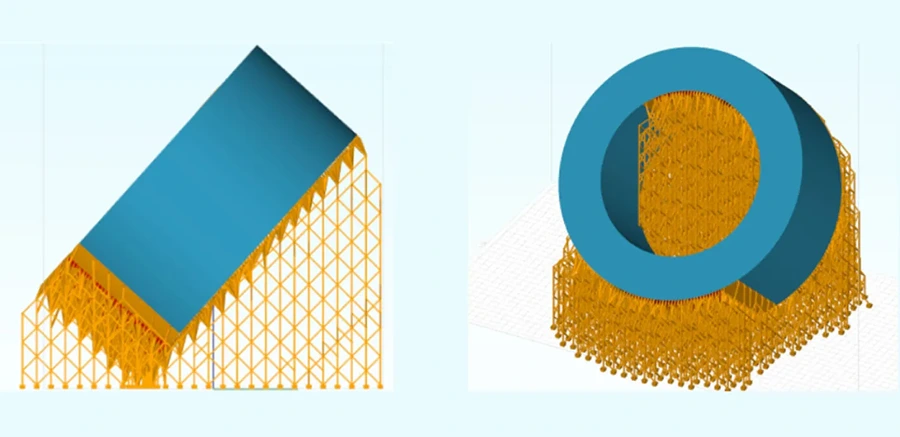
The new releases add a redesigned self-supporting algorithm and expanded preparation tools. These capabilities are intended to help users improve build reliability, reduce preparation time, manage complex geometries and use production capacity more effectively.
Volume Professional 1.3 is included with the purchase of a Lumia X1 system. The standard license includes mesh, support and slicing tools. The release adds a redesigned self-supporting algorithm for generating and managing supports, along with tools for dimensional stability, part positioning, collision detection, model repair and build optimization.
Volume Industrial 1.3 expands those capabilities with an additional license. It adds tools for users working with larger, more complex or production-oriented jobs.
Production-focused features in Volume Industrial 1.3
Volume Industrial 1.3 adds the following features for production workflows:
- Accurate Wireframe Support Structures: Generates support structures for larger prints and distributes them around the model to support dimensional stability
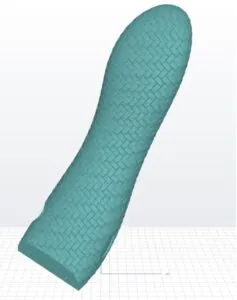
- Texturing: Applies textures to full models or selected surfaces, with access to more than 100 built-in textures or imported PNG displacement maps
- Printability Analysis: Identifies overhang angles that may affect printability and highlights them on the model
- Advanced Nesting and Build Area Management: Lets users define areas for selected parts to support workflows such as adding parts to an existing job or using only part of the build platform
- Live Collision Detection: Detects overlapping models and support structures during build preparation using GPU and CPU processing
- Ground Plane Collision Distance: Measures the distance between parts as they are positioned on the platform
- Advanced Import with Repair: Imports, analyzes and repairs models in one step
- Slice Curve Editing: Edits SLC, CLI and SVG files by splitting or joining slice curves, removing unnecessary curves and reconstructing 3D meshes from sliced models
Axtra Workflow and Axtra Academy
Volume Professional 1.3 and Volume Industrial 1.3 are the first releases in Axtra3D’s broader Axtra Workflow strategy. The workflow connects part preparation, print execution and production management to support a more consistent digital path from design to finished part.
The software is paired with the updated Axtra Academy customer portal, which provides access to printer fleet information, technical resources and operational support. The portal includes:
- Global Printer Visibility: An interactive map showing connected printers and their status, including idle, running and error conditions
- Service Support: Access to field engineers, contact information and meeting scheduling
- Technical Resources: Documentation, manuals, video tutorials and operating procedures
- HPS Calibration: Calibration resources for printers
- Operational Telemetry: Dashboards for printer performance, global statistics, layer counts, system warnings and errors
Together, these tools support customers through preparation, monitoring and maintenance across the production process.
Volume Professional 1.3 is included with new Axtra3D Lumia X1 systems and will be the standard software for future Lumia X1 installations. Existing Lumia X1 customers can update to Volume Professional 1.3 now. Volume Industrial 1.3 is available to order now.
For more information, visit axtra3d.com.