The update includes non-destructive Procedures, section hatch patterns, paperless drafting and a new collaboration hub.
Trimble has announced new features for SketchUp 2027 and the SketchUp Importer for Revit at the Trimble Dimensions User Conference and 3D Basecamp.
The updates are intended to reduce steps in design workflows and support work from early concepts through documentation. They also address two common sources of rework in design: rebuilding a model after changes and recreating it when moving between tools.
Trimble also introduced Trimble Connect Design Hub, a centralized collaboration feature built on the Trimble Connect platform. It records designer and client messages and combines 3D models, file management and project administration in one project record.
SketchUp 2027
SketchUp 2027 introduces Procedures, a non-destructive modeling system. The feature allows designers to make changes and test ideas without rebuilding models or losing prior work. It is integrated into existing SketchUp tools and workflows.
Other new and updated features in SketchUp 2027 include:
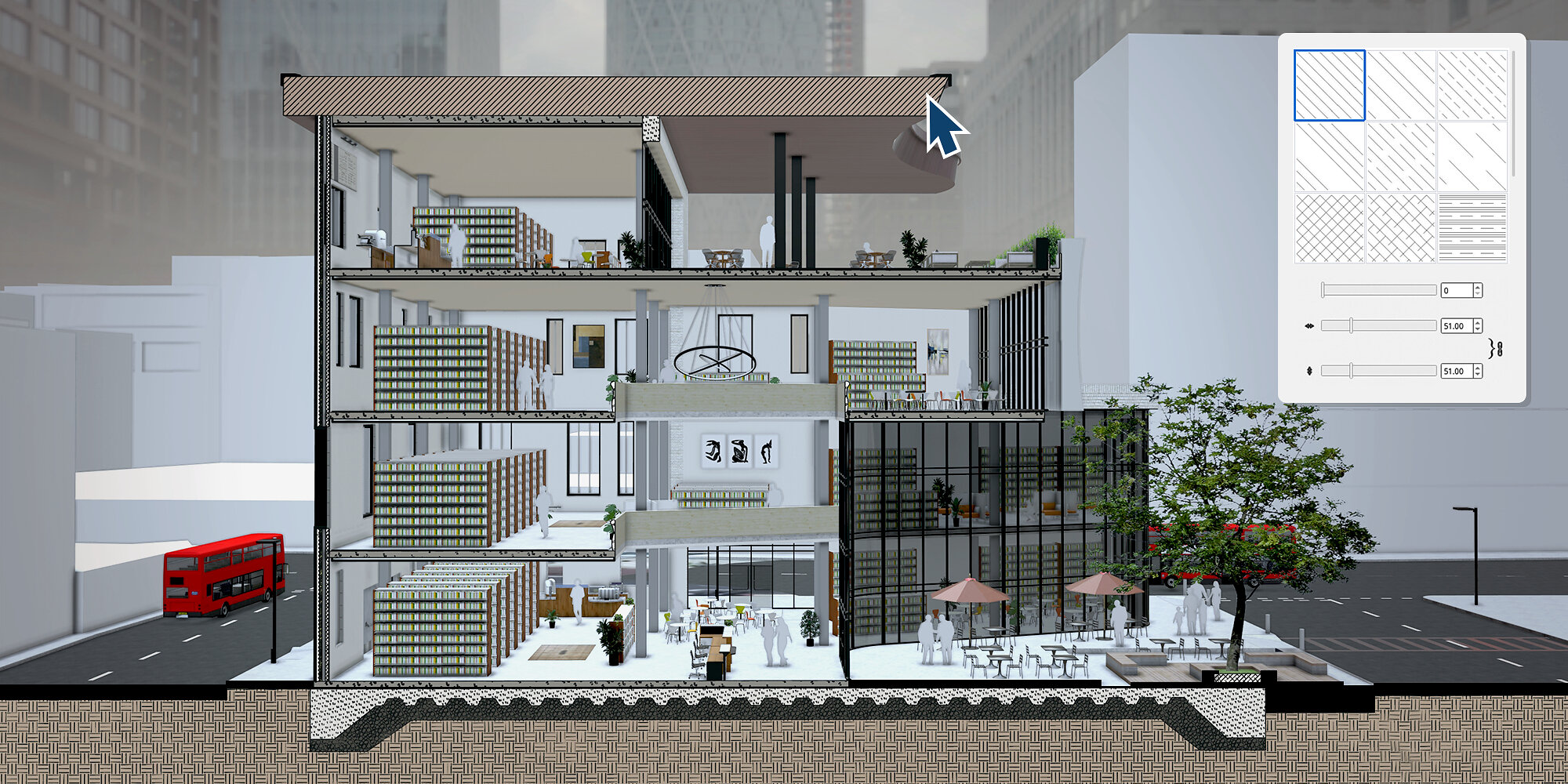
- Section Hatch Patterns help create technical drawings by applying patterns to section fills, making it easier to identify cut materials such as brick, concrete and batt insulation while keeping control over drawing detail.
- Paperless Canvas in LayOut lets teams draft in 2D at 1:1 scale without setting a page size or drawing scale at the start.
- AutoFit Live Components automatically size themselves to fit the surface they are placed on, reducing the need for manual scaling.
- Spatial Preview brings a live SketchUp model into Apple Vision Pro using SketchUp USD converters and Apple’s USDPreviewSession. On a Mac with Mac Virtual Display, designers can adjust geometry or materials and view the changes in the headset without exporting or reopening a viewer.
SketchUp Importer for Revit
The SketchUp Importer for Revit is designed to move conceptual models into Revit while preserving design intent and project data.
Moving from schematic concepts to detailed BIM workflows often requires teams to rebuild geometry. Dodge Data and Analytics has estimated that up to 40% of design time in mid-to-late project phases can be spent re-entering, rebuilding and cleaning up transferred geometry between conceptual design tools and documentation platforms.
The importer recognizes component tags and classes, maps them to Revit categories and converts them into native Revit architectural elements that can be edited, scheduled and documented. Organizing components in SketchUp before export can reduce manual rework and shorten the transfer process.
Availability
SketchUp 2027.0 is available now for Pro and higher-tier subscriptions, including Studio for Higher Ed subscribers. Some features are also available to Go subscribers on SketchUp for iPad. The SketchUp Importer for Revit is expected to be available in November 2026 at no additional cost to Pro Advanced Workflows and Studio subscribers.
For more information, visit trimble.com.